Your library, spine out.
A private reading library for people who love books as objects. Every book you finish stands spine-out on a walnut shelf that grows as you read. Your to-be-read pile is sorted by genre, trope, and spice, and when you can't choose, one roll of the dice picks tonight's book.
- Free
- No account
- No ads or tracking
- Syncs through your iCloud
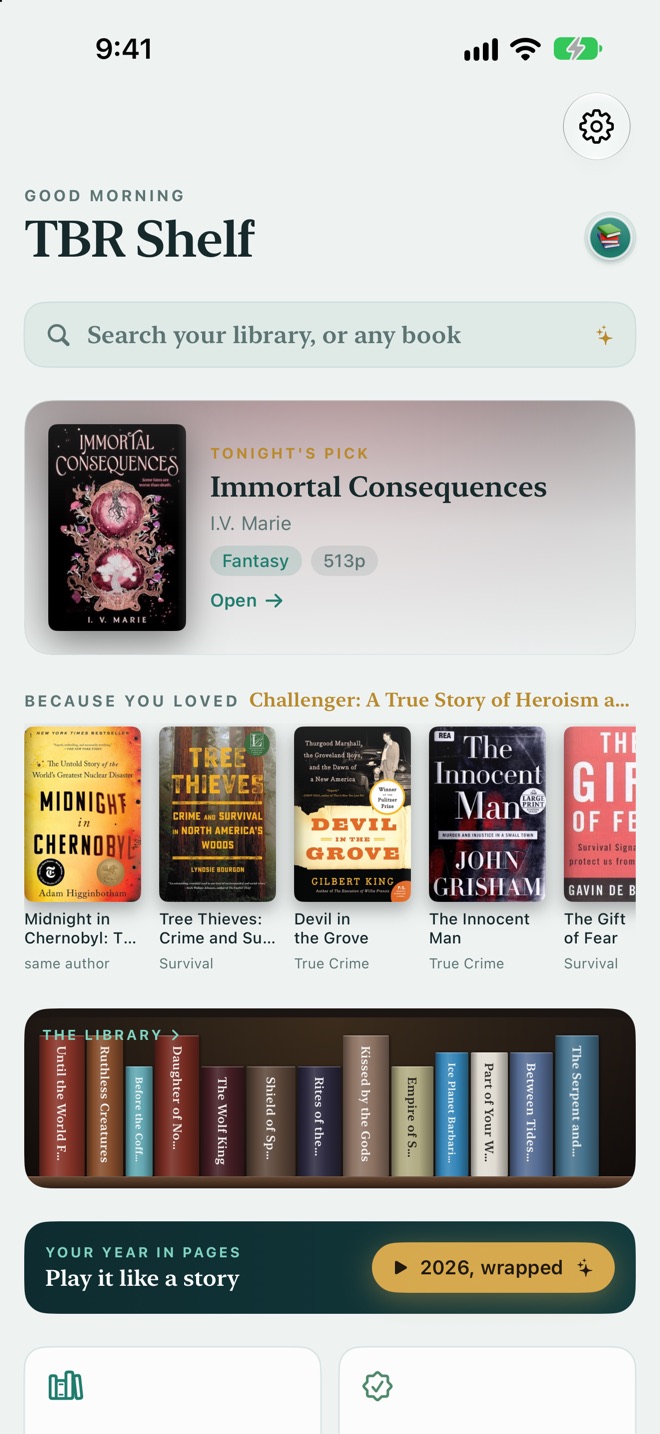
Every screenshot here is the real app running a real reader's library, not a mockup.
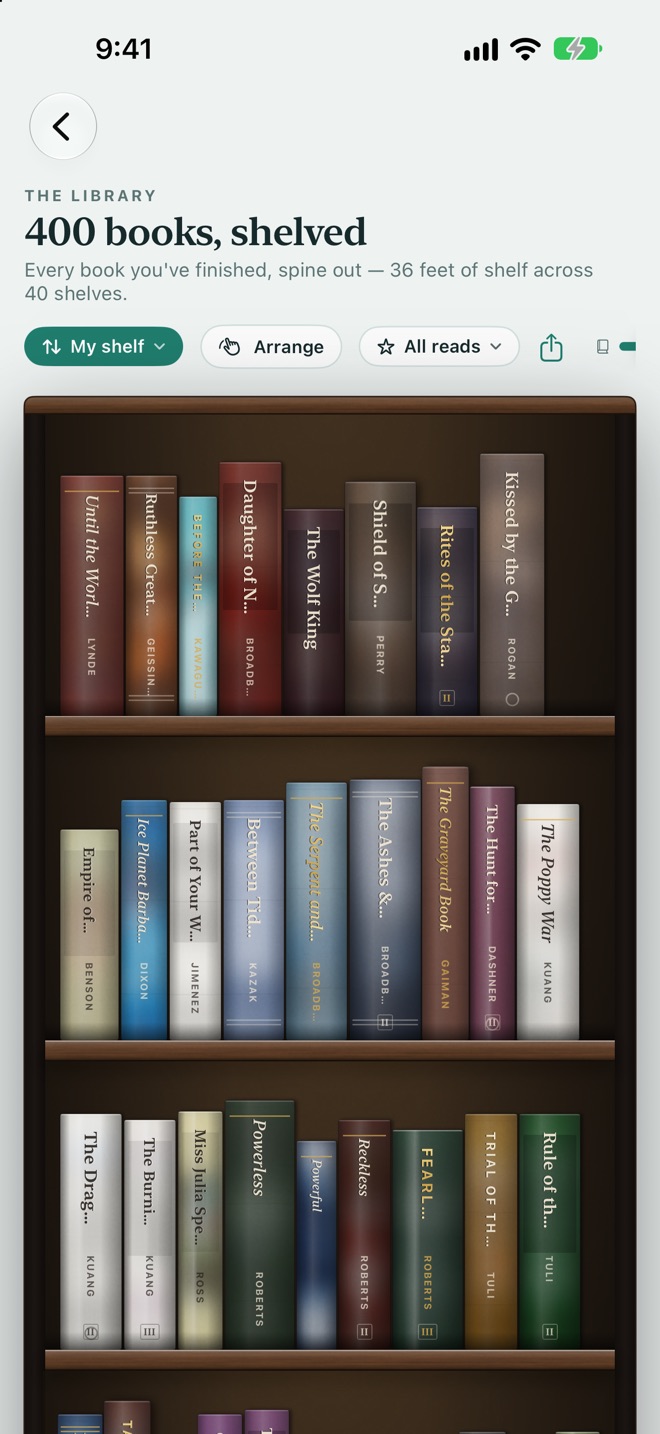
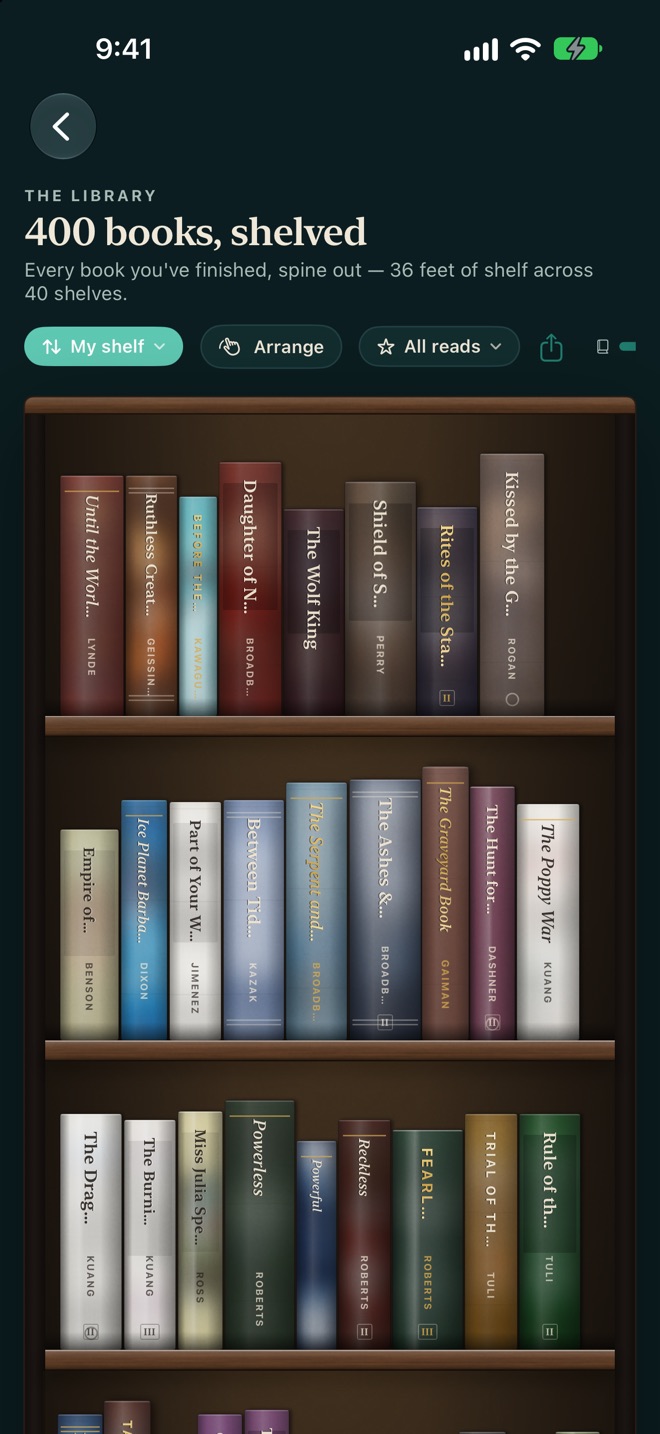
Every book you've finished, standing on a real shelf.
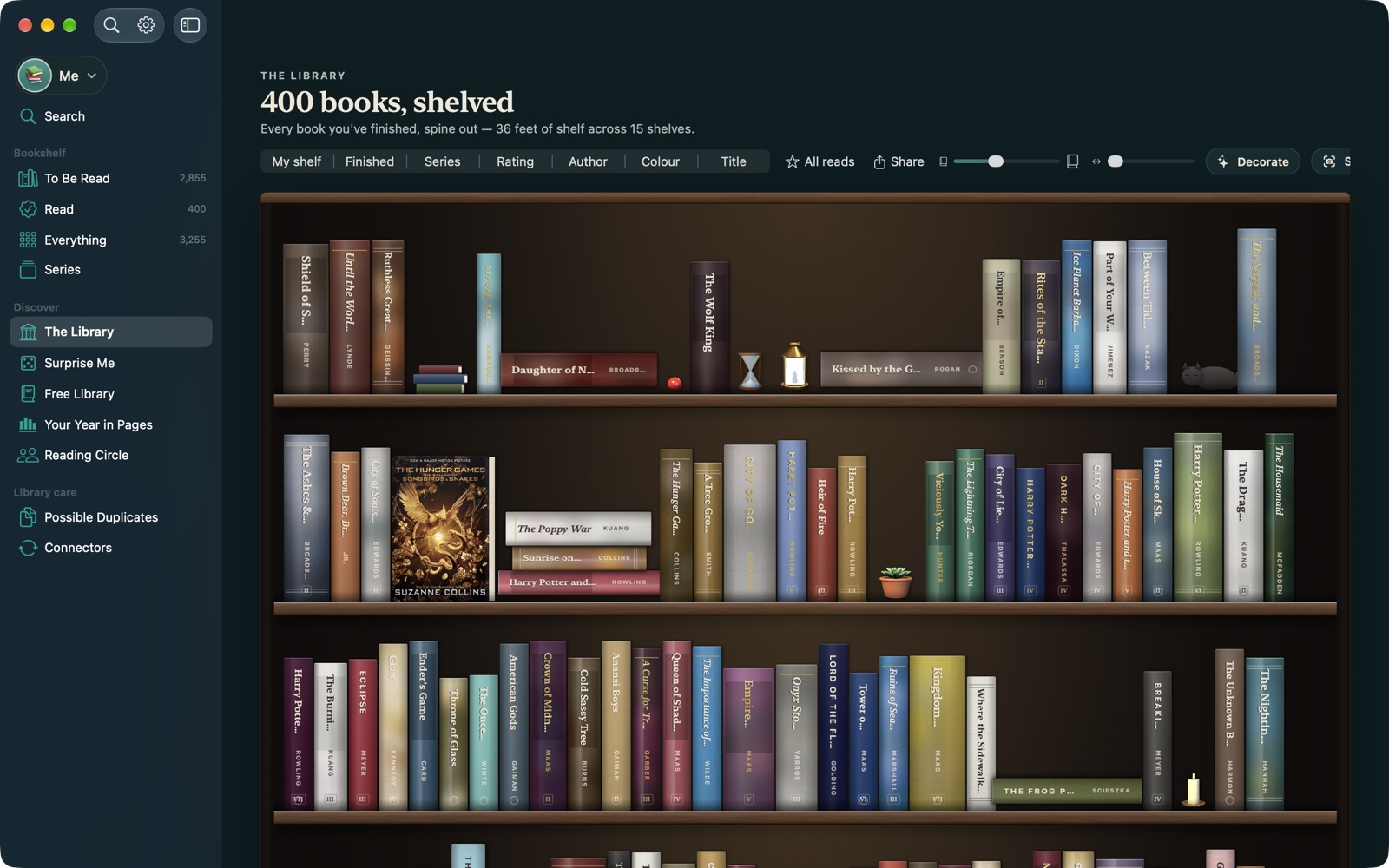
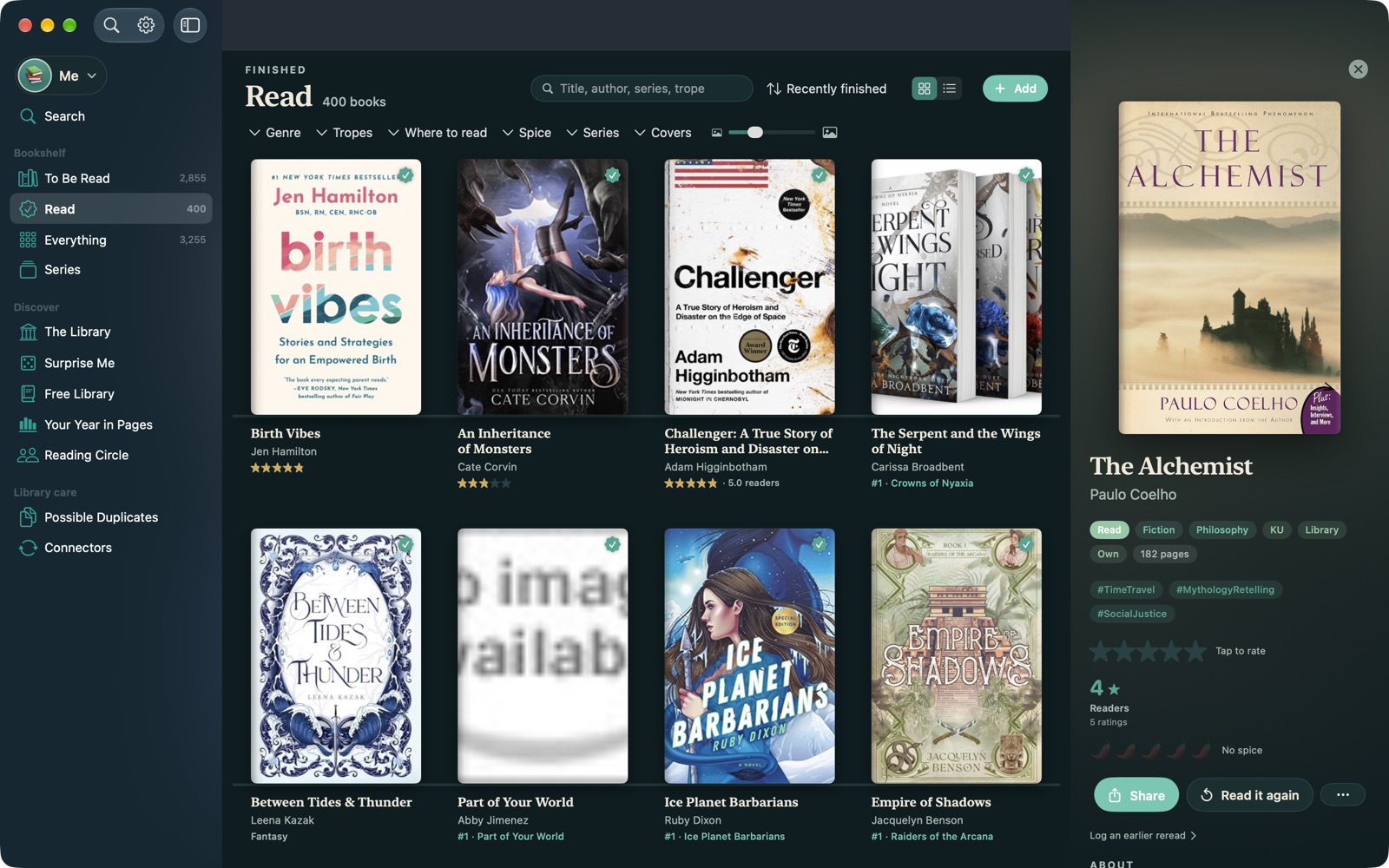
Mark a book as read and it goes on the shelf, spine out. Each spine takes its colour from the book's cover and its thickness from the page count, and series books carry their volume number. Watch the case fill up over the year.
- Arrange it your way: by date finished, author, title, series, rating, or colour, for a rainbow shelf.
- Make it yours: pick the wood and the wall, turn favourites face-out, stack books flat, and add decorations between them.
- Photograph a real spine and it replaces the generated one, so special editions look like the copy on your shelf.
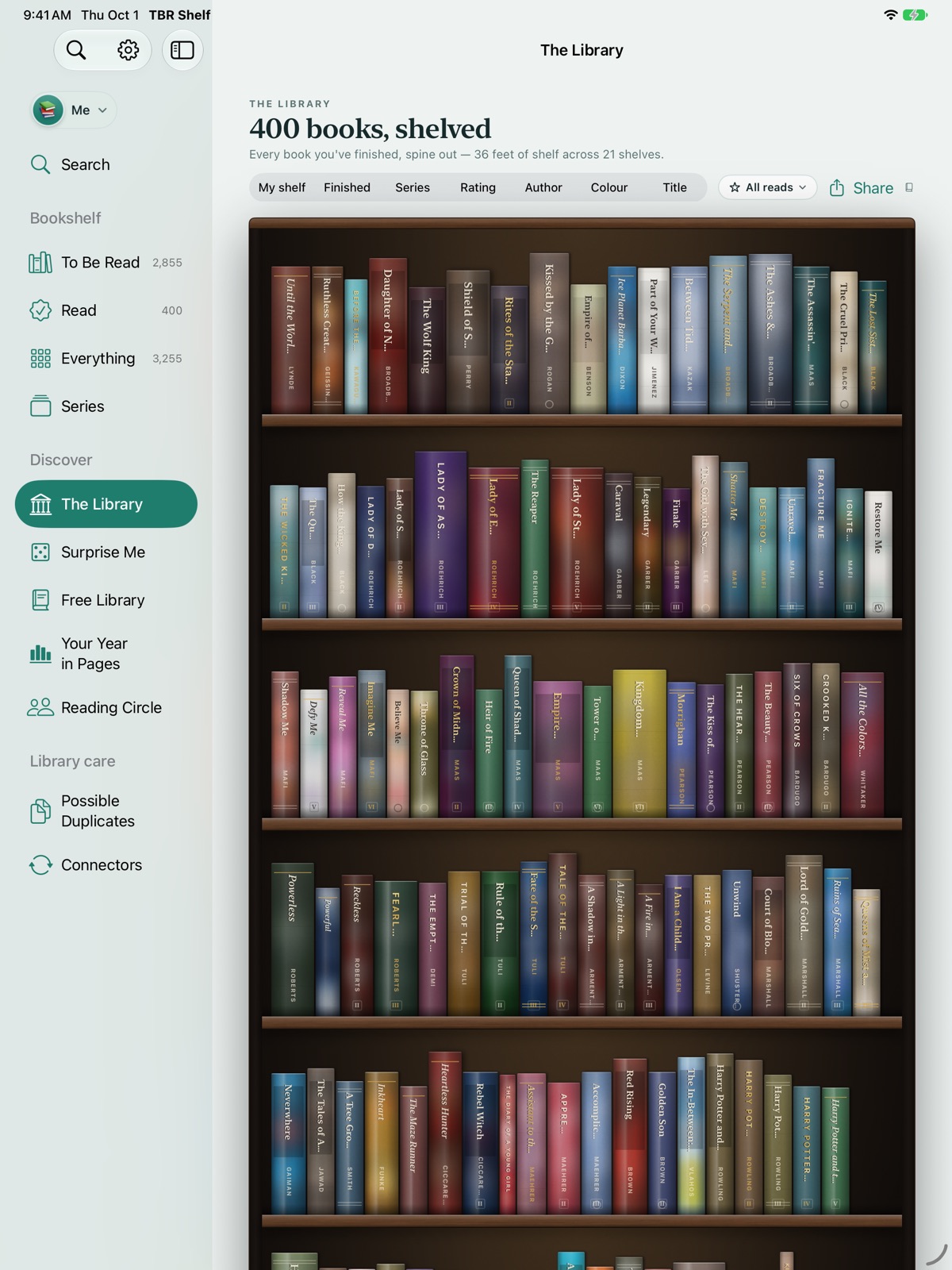
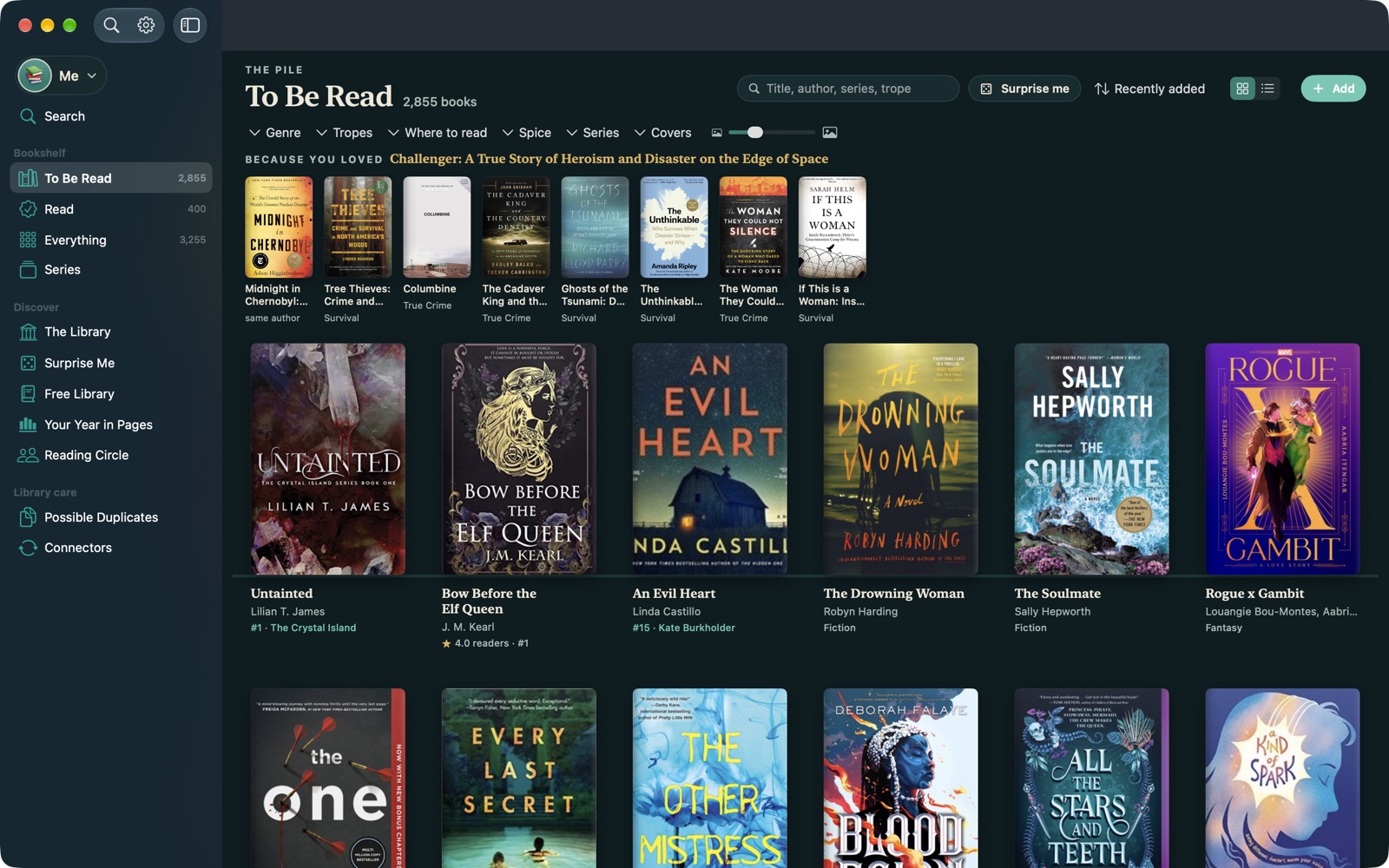
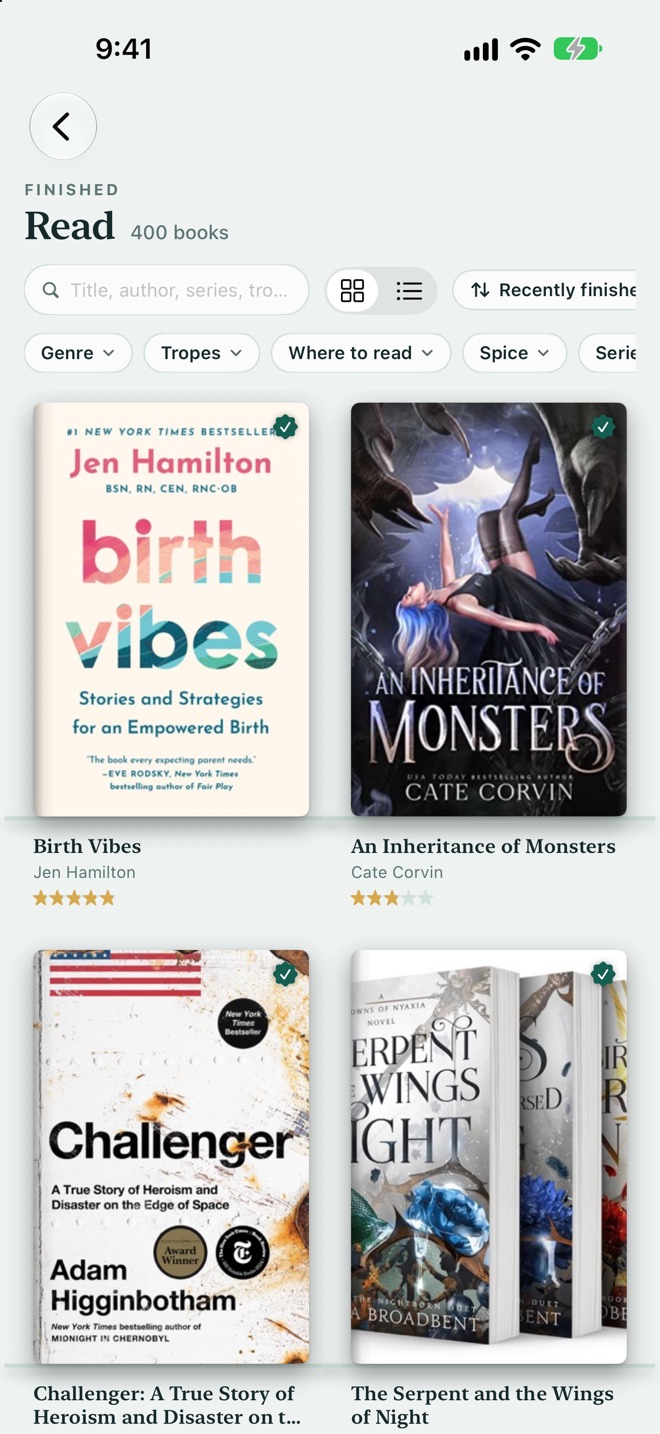
Thousands of books to be read, browsed like a bookshop table.
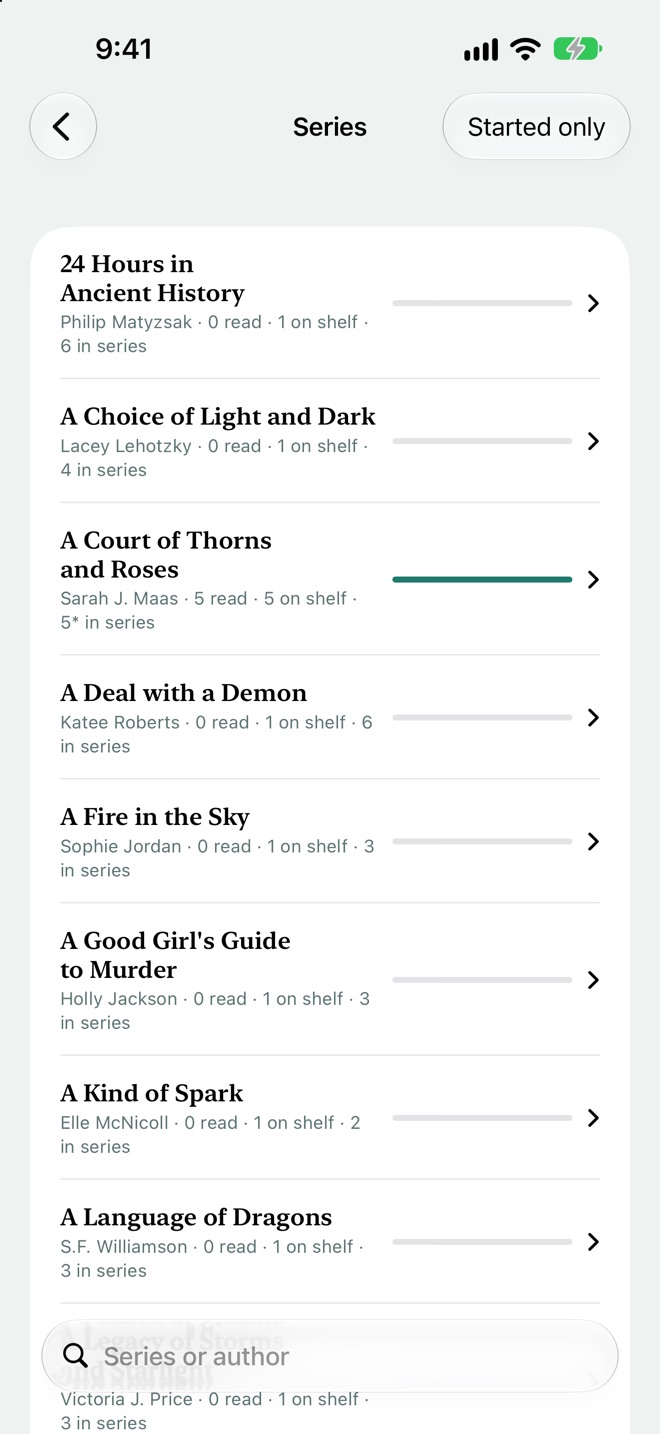
Your TBR is shown as covers, not rows in a spreadsheet. Filter by genre, trope, spice level, where you can read it (library, Kindle Unlimited, owned, Libby), length, and series. One filter answers "what's next in a series I've already started?"
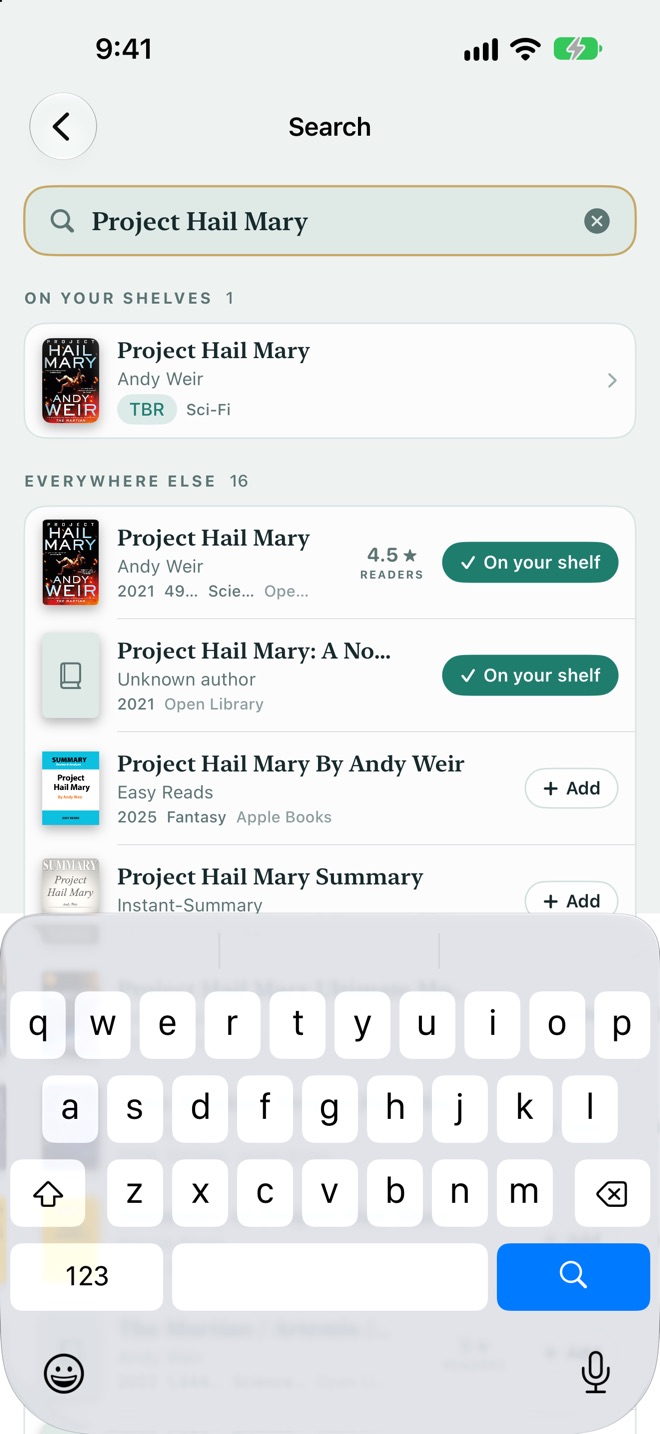
- Search everything at once: your own shelves and the wider catalogue in one box. Add a new book in a tap and choose from every edition's cover.
- Scan a barcode in a shop to see straight away whether it's already on your pile.
- Possible duplicates are flagged side by side so you can keep the fuller copy.
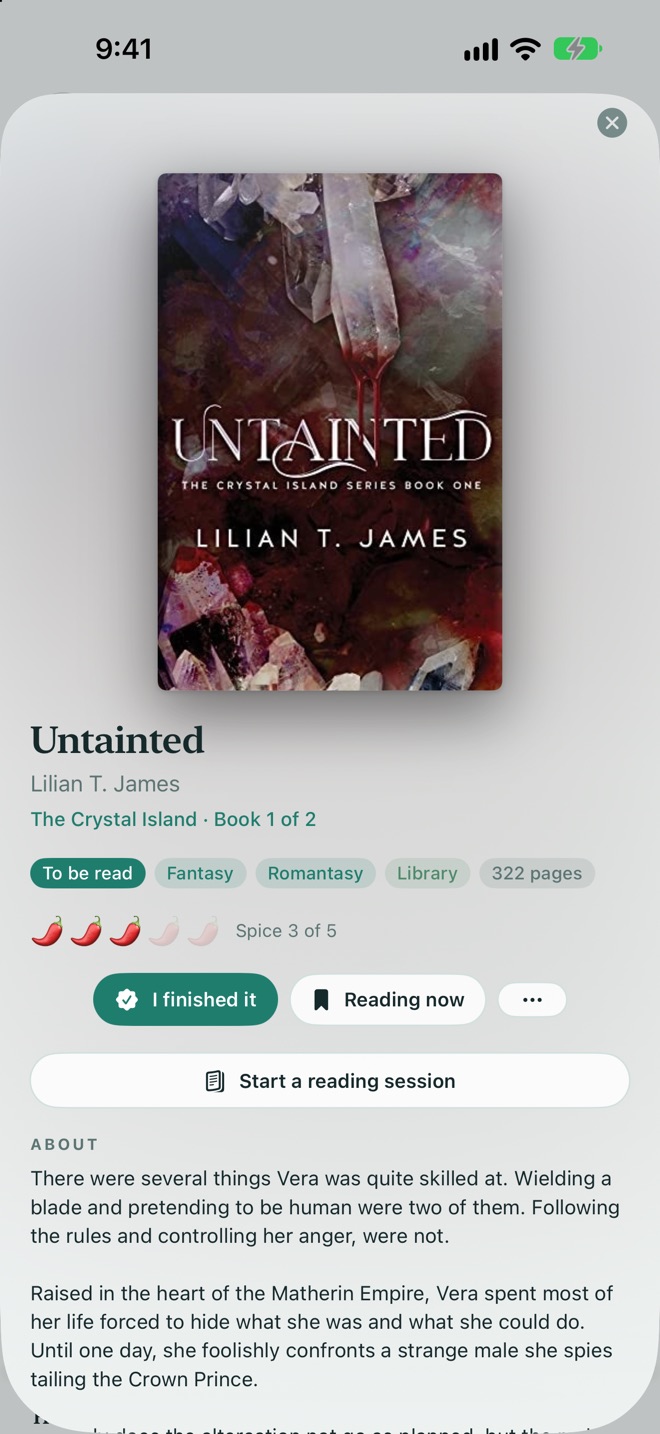
A page for each book, with room for what you thought.
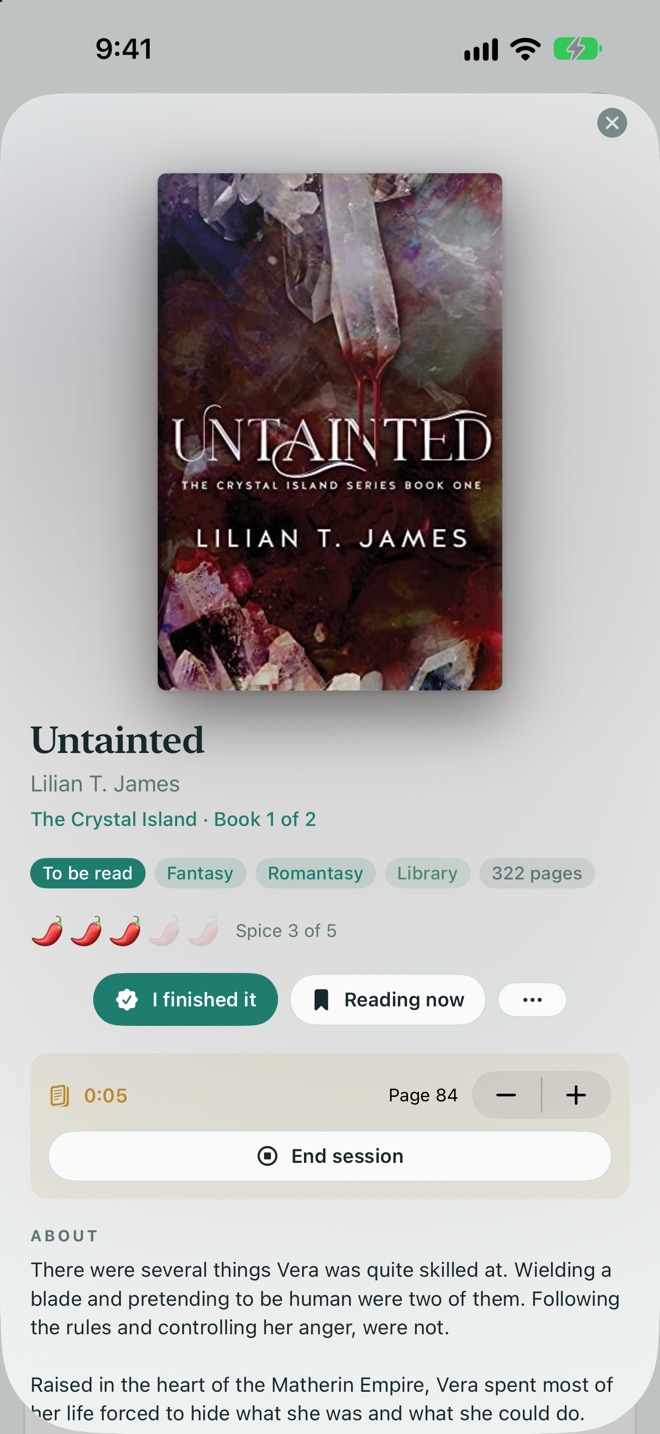
Open any book for its cover, blurb, series position, tropes, and a spice rating (yours, or a best guess until you confirm it). Rate it in half stars, write a review, save the lines you loved, and keep a record of re-reads, DNFs, and paused books.
- Reading sessions: start a timer and log pages as you go. On iPhone it keeps time in the Dynamic Island and on the Lock Screen.
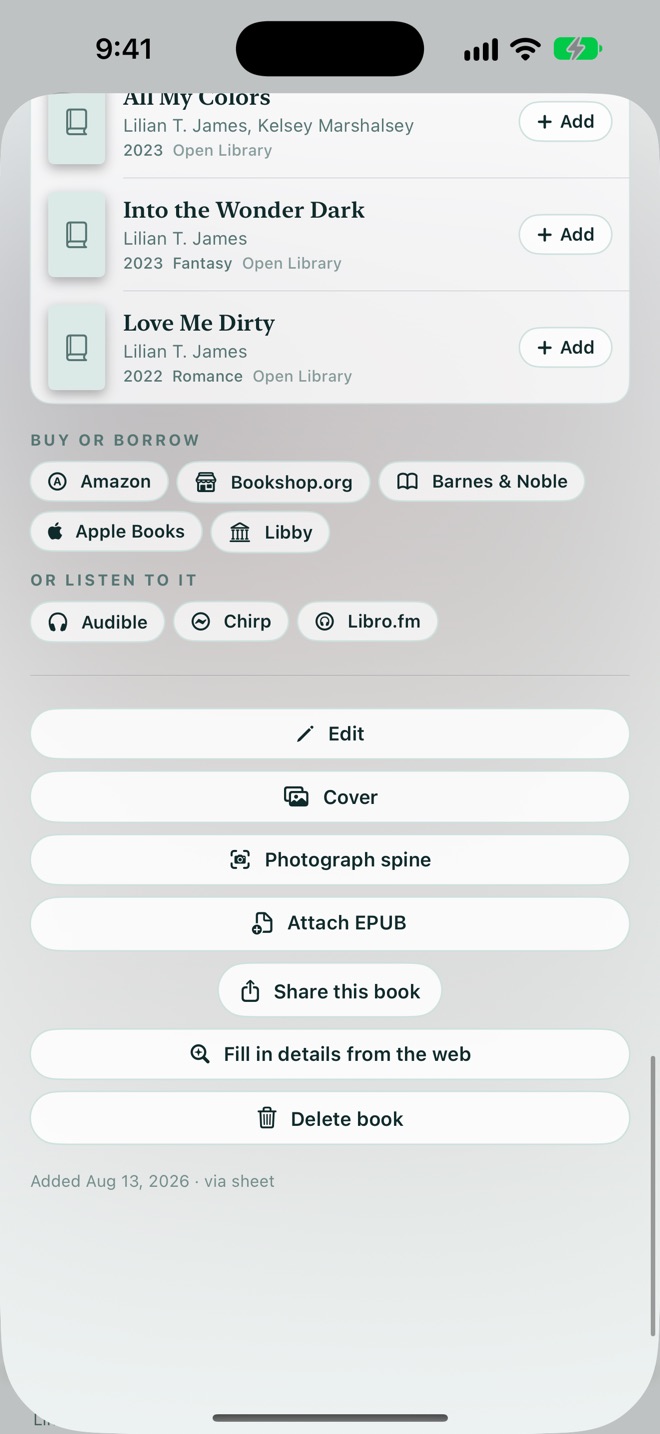
- More by this author shows the books you don't have yet, so you can add them in a tap.
From "I want to read that" to holding it.
Every book on your pile links straight to where you can get it, whether that's your local library, a bookshop, an ebook store, or an audiobook. TBR Shelf doesn't sell books. It sends you to the store you choose, already searched for the right title or ISBN.
Some store links carry an affiliate code, which supports the app's development at no extra cost to you. As an Amazon Associate, Luma Design LLC earns from qualifying purchases. Store links are hidden on children's shelves.
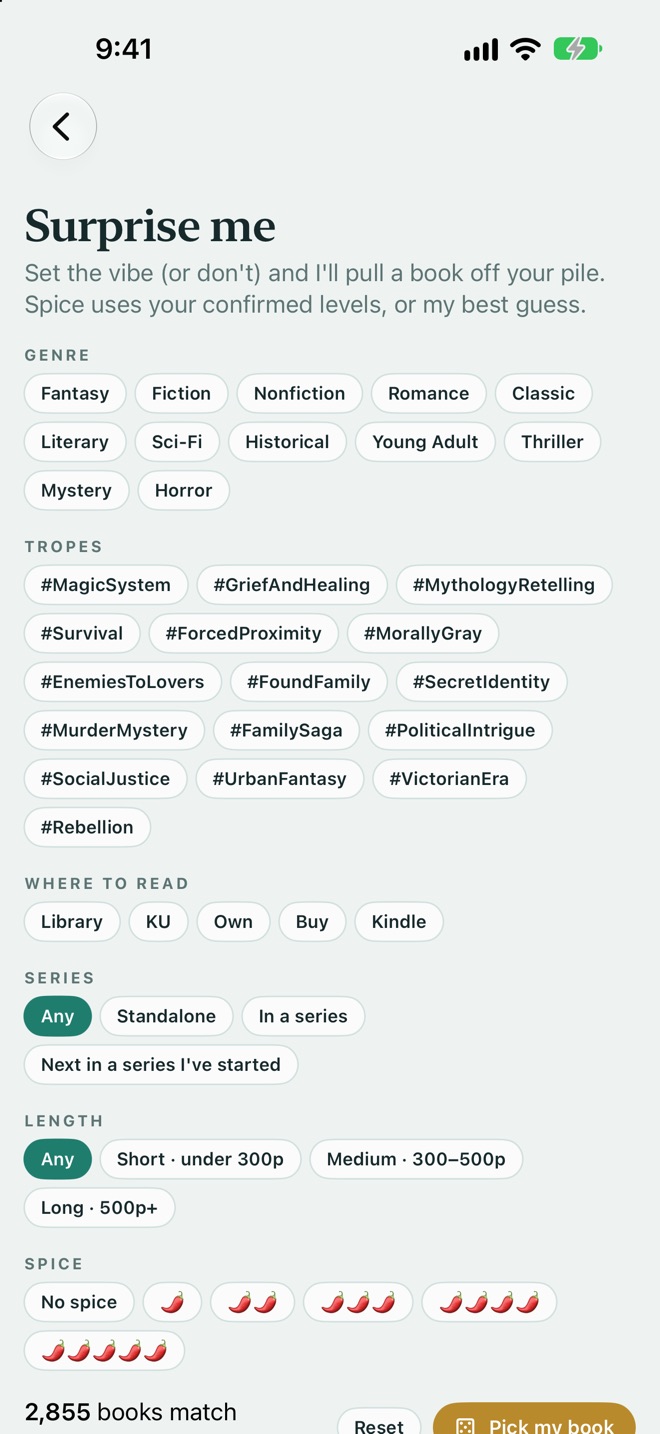
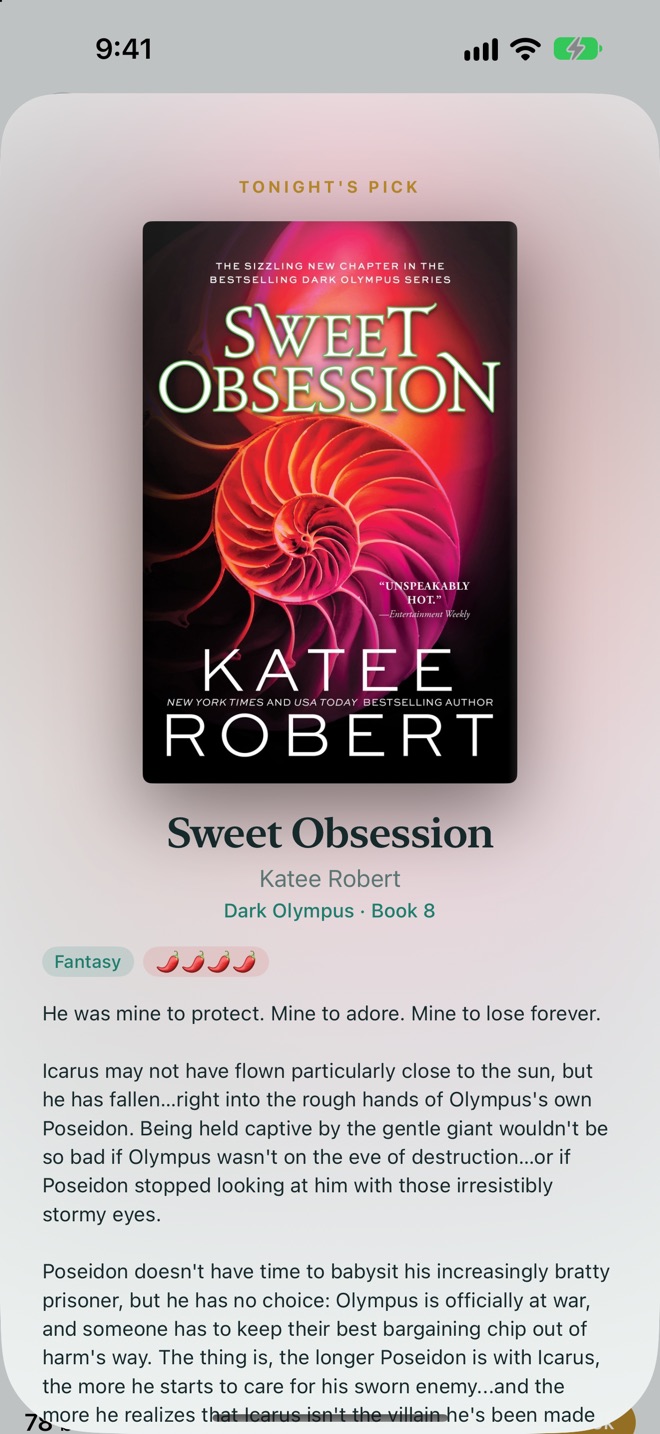
Can't decide? Set the vibe and roll the dice.
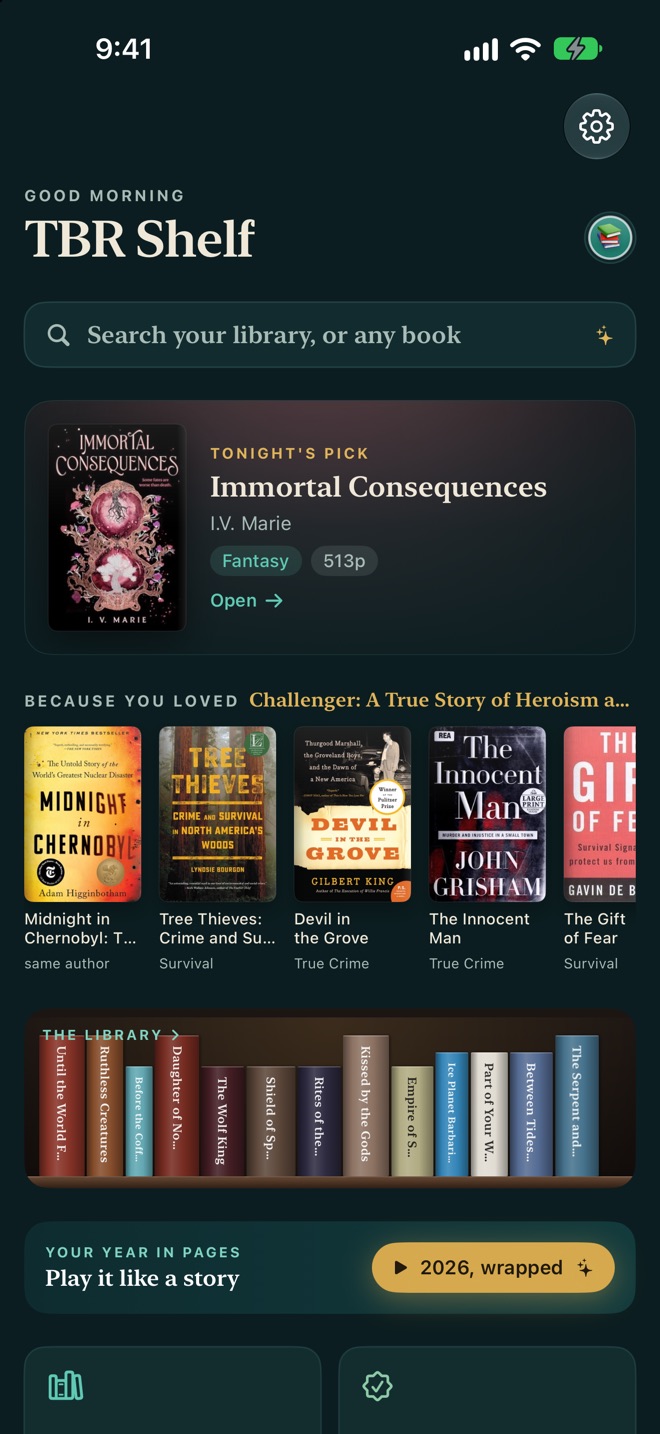
Pick any mix of genre, trope, length, spice, and where you can read it, or pick nothing at all. TBR Shelf tells you how many books match, then pulls one off your pile. Tonight's pick also shows up on the home screen and in a widget.
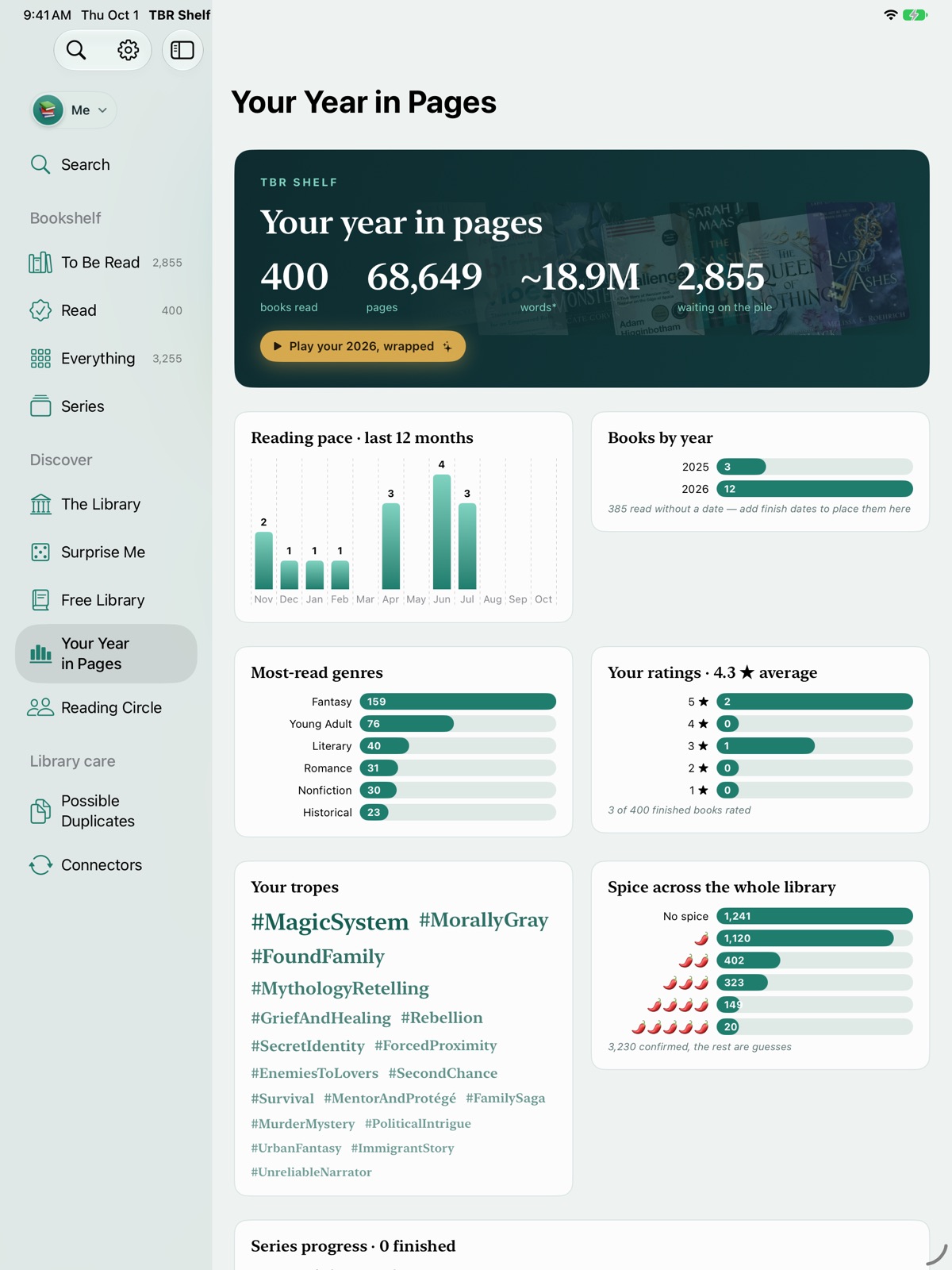
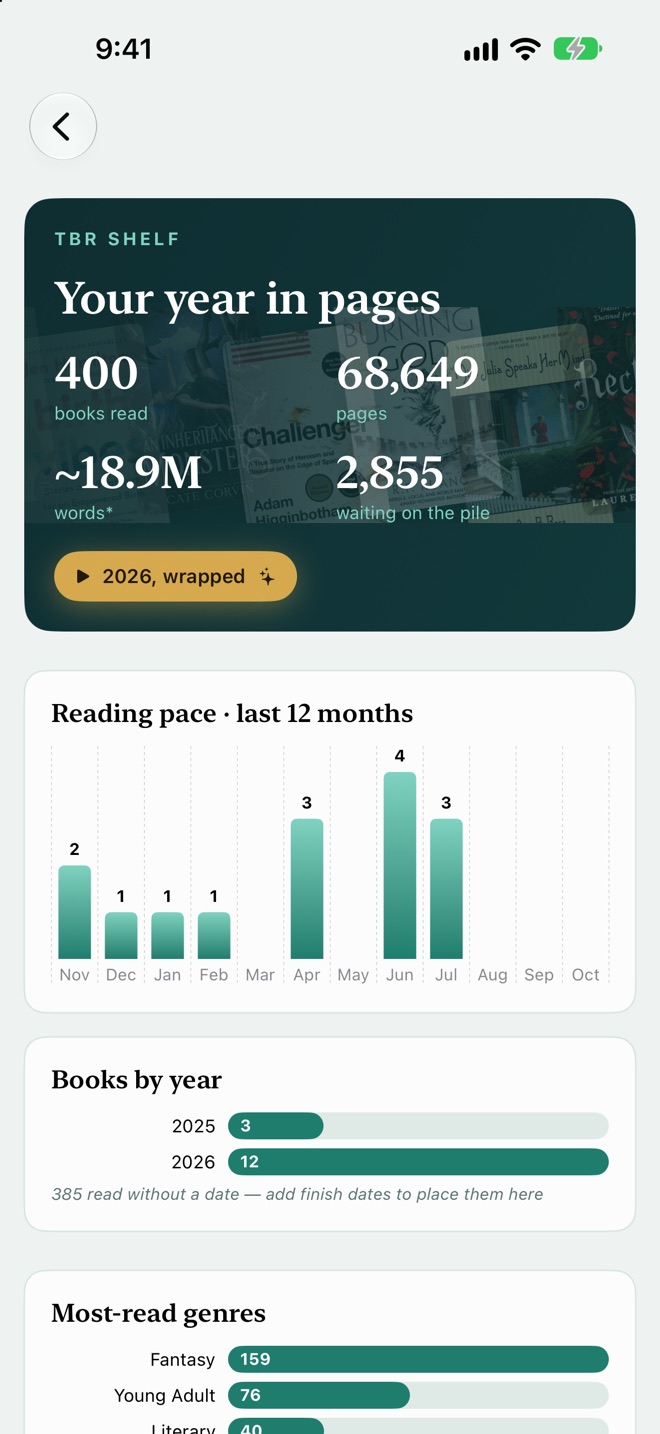
Your reading year, without the spreadsheet.
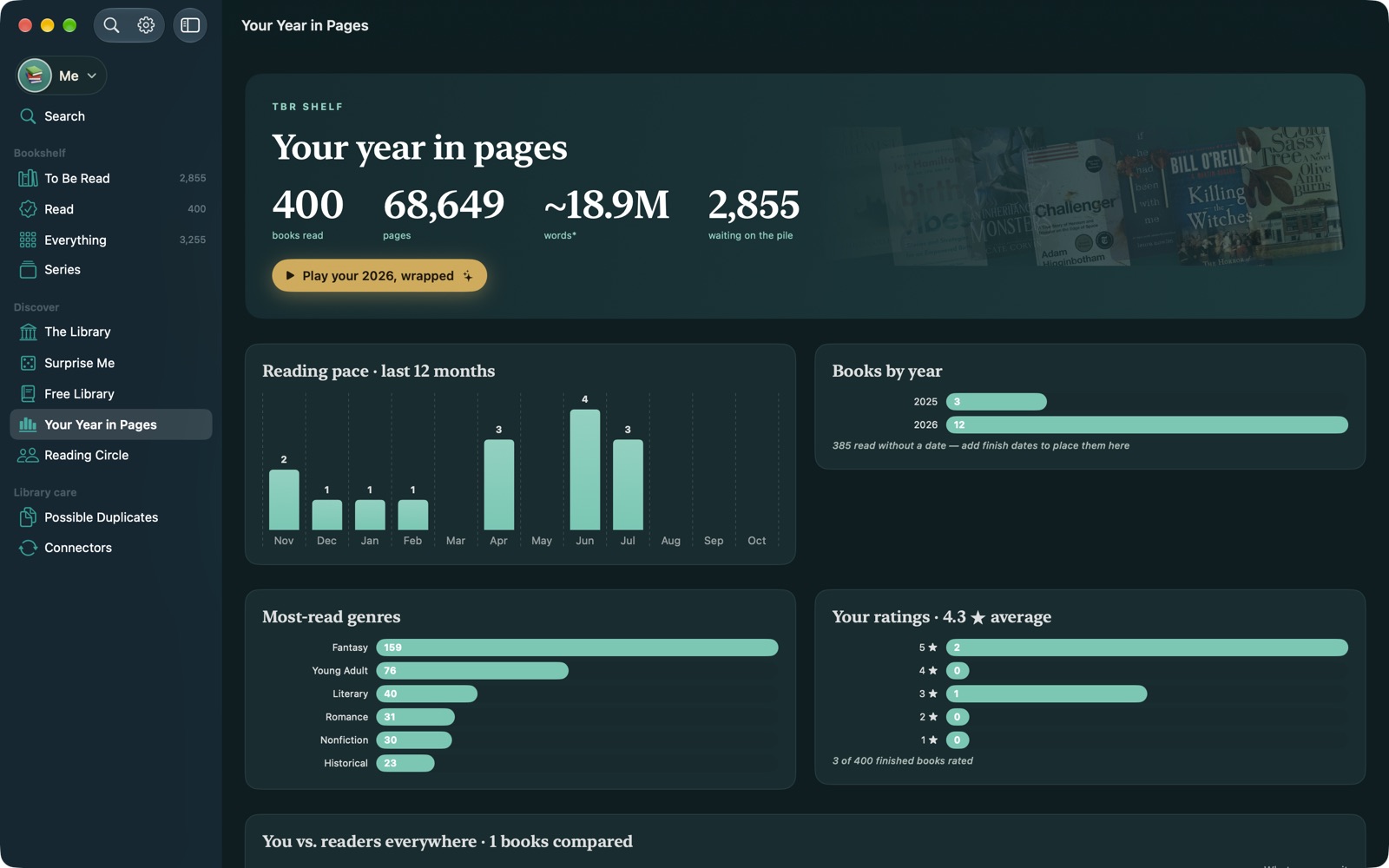
See books and pages read, your pace month by month, favourite genres and tropes, your ratings, and how far you are through every series. At the end of the year, Wrapped plays it back as a story, with a card you can share.
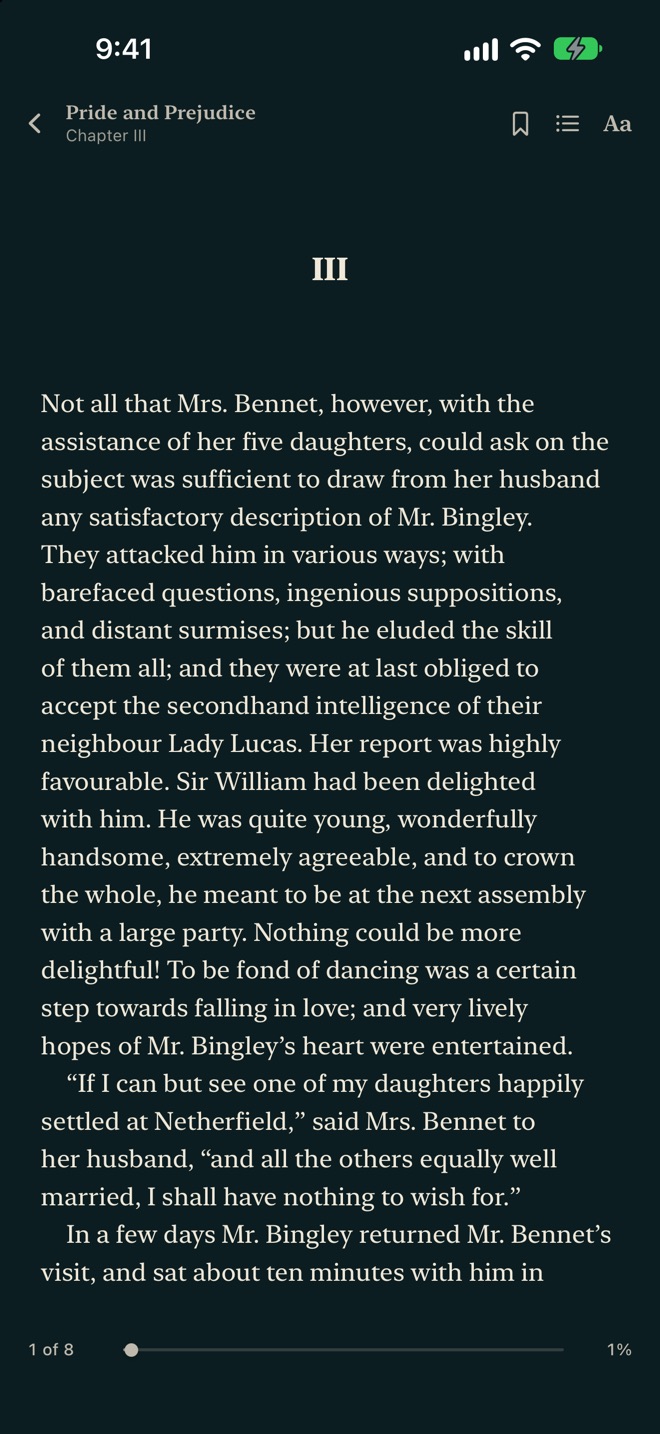
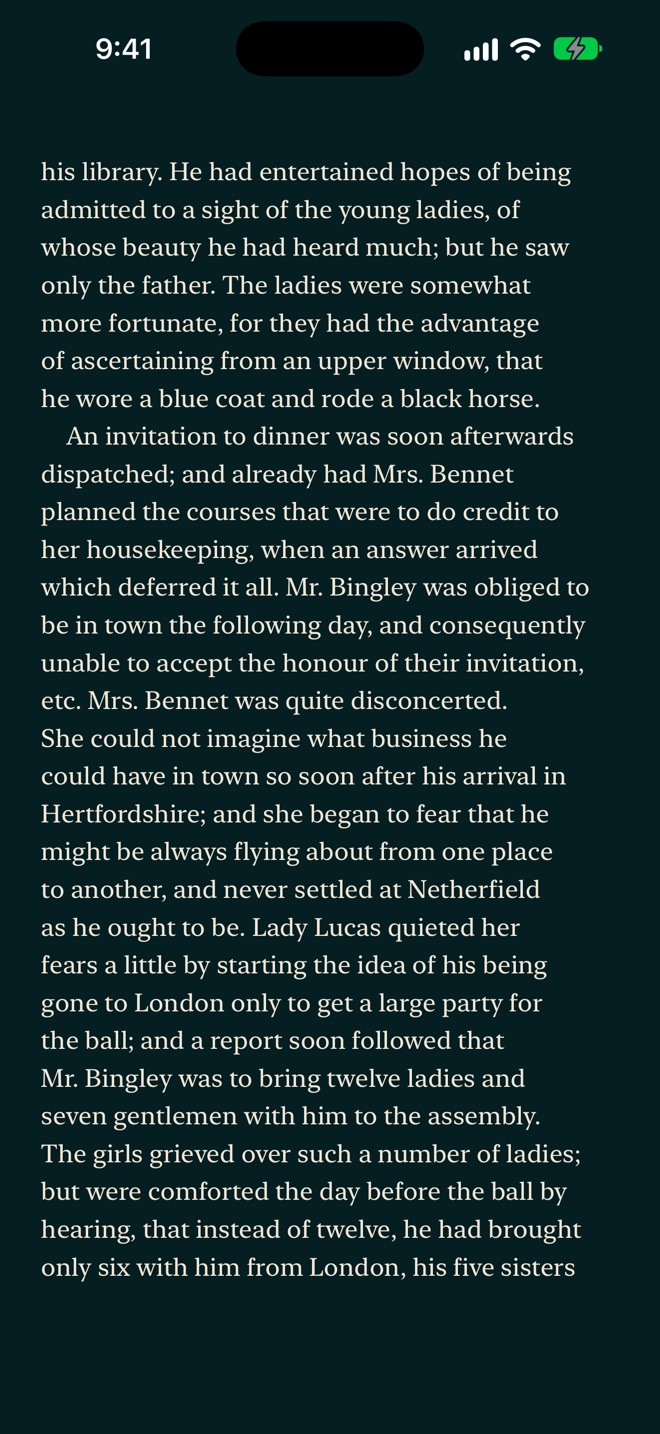
Read EPUBs right on the shelf.
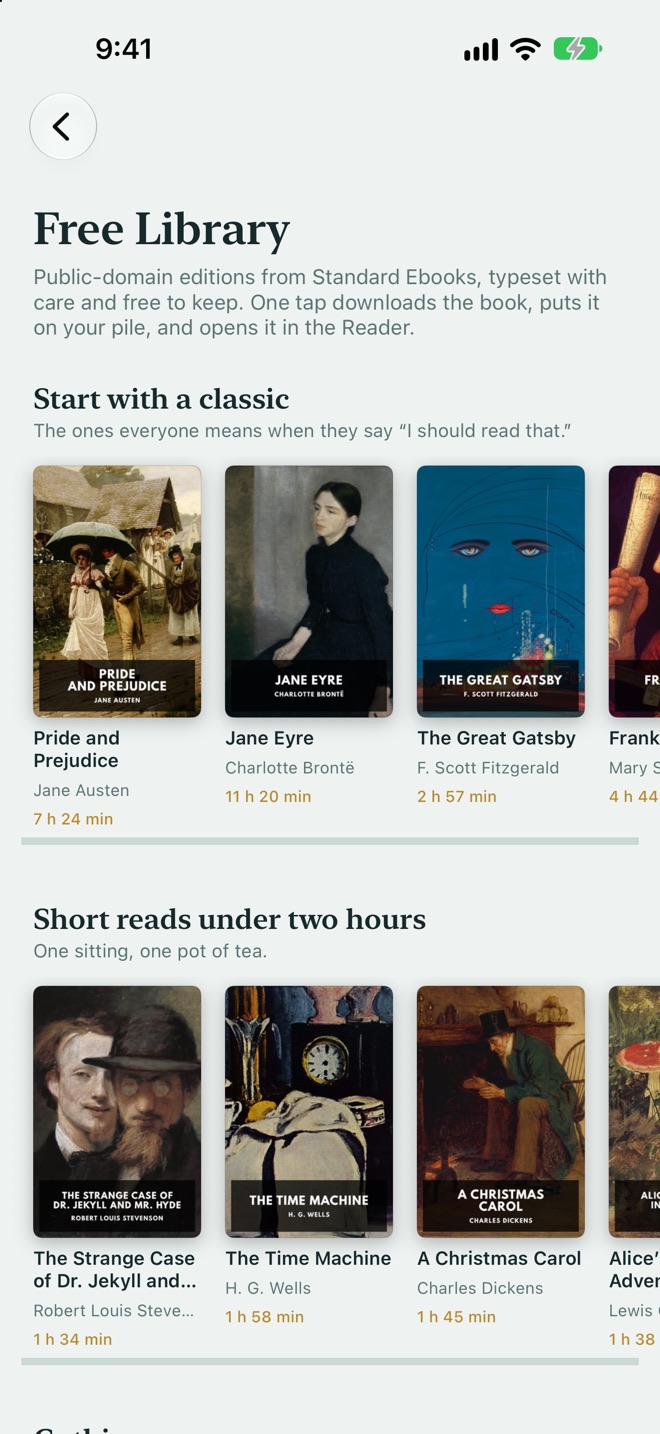
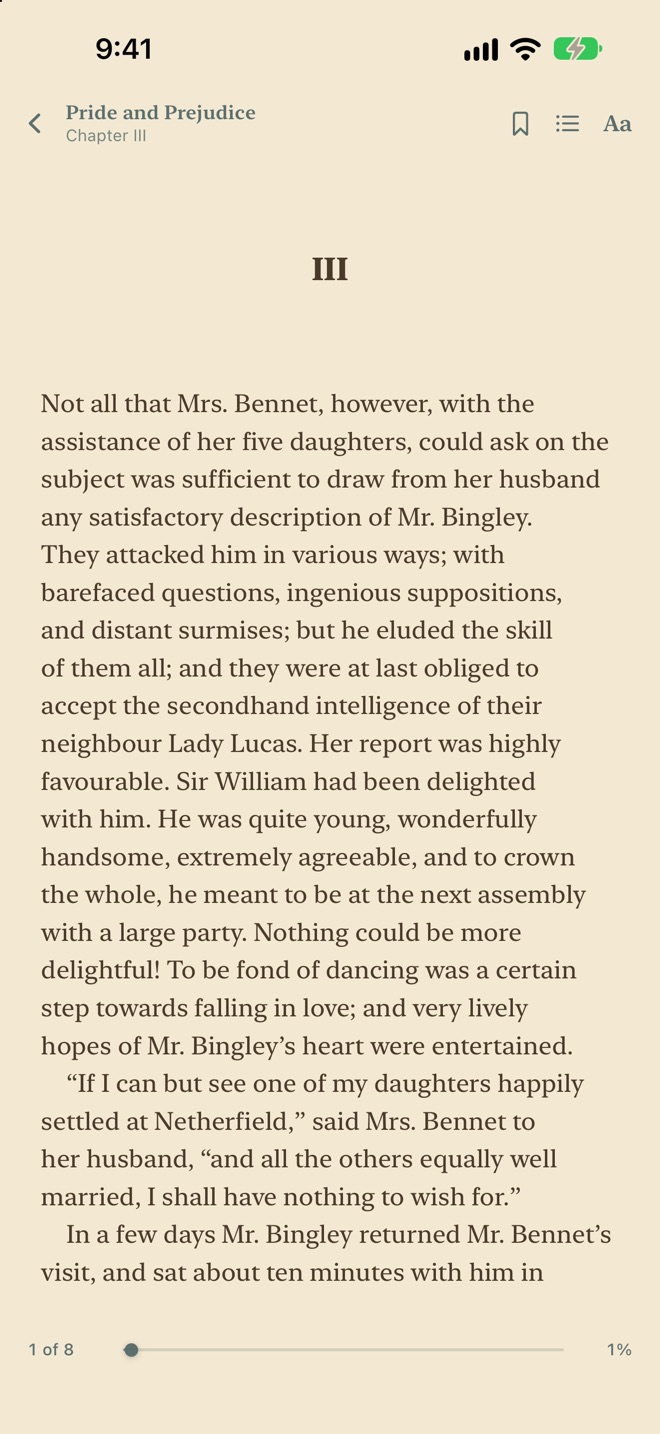
Open any DRM-free EPUB in TBR Shelf's own reader. Your place, bookmarks, and highlights are saved with the book, and turning the last page offers to mark it read and put it on the shelf. Choose paper, sepia, dark, or true-black pages.
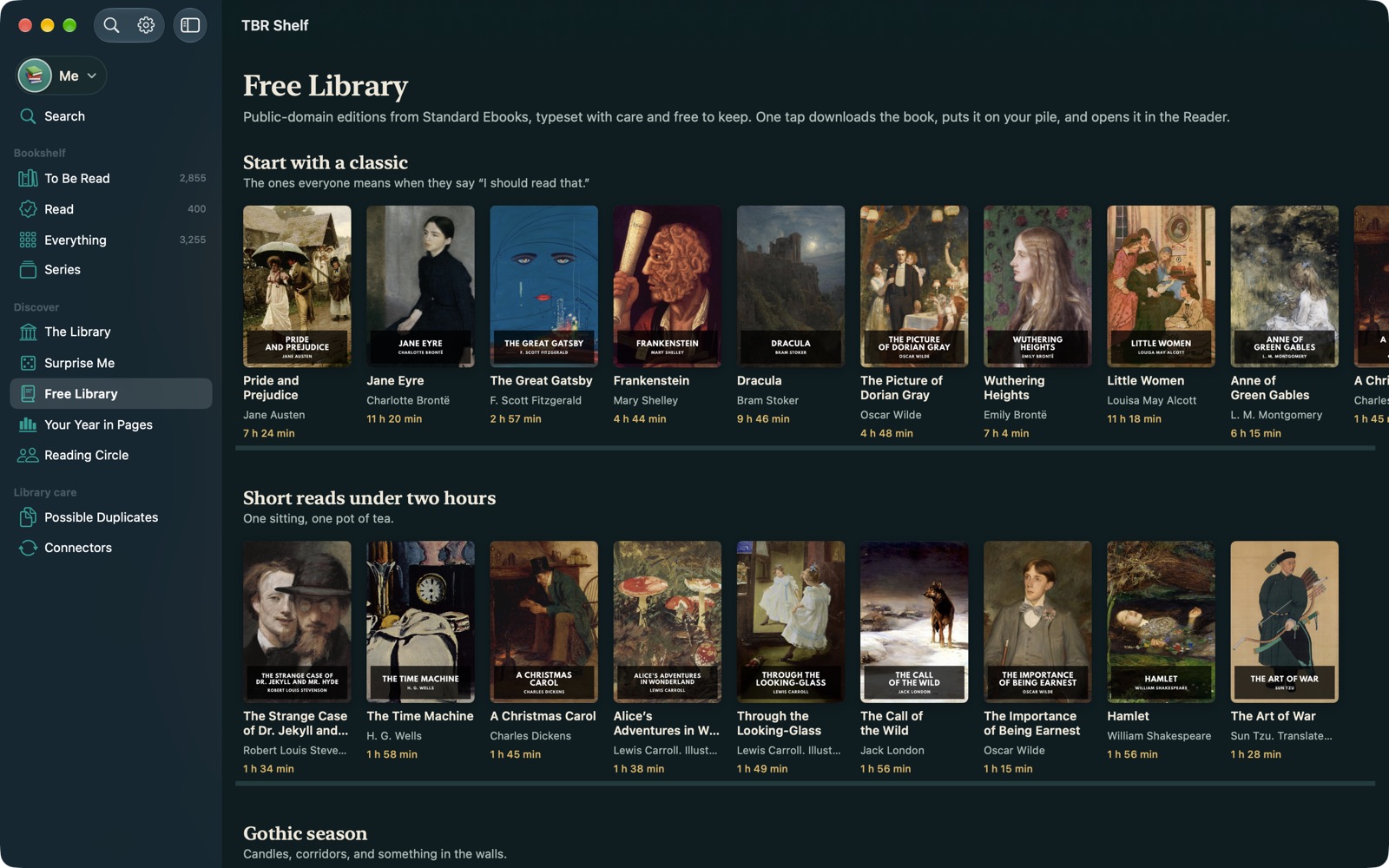
- Free Library: a curated shelf of public-domain classics from Standard Ebooks. One tap downloads a beautifully typeset edition and opens it.
- Bring your own: attach an EPUB to any book in your library.
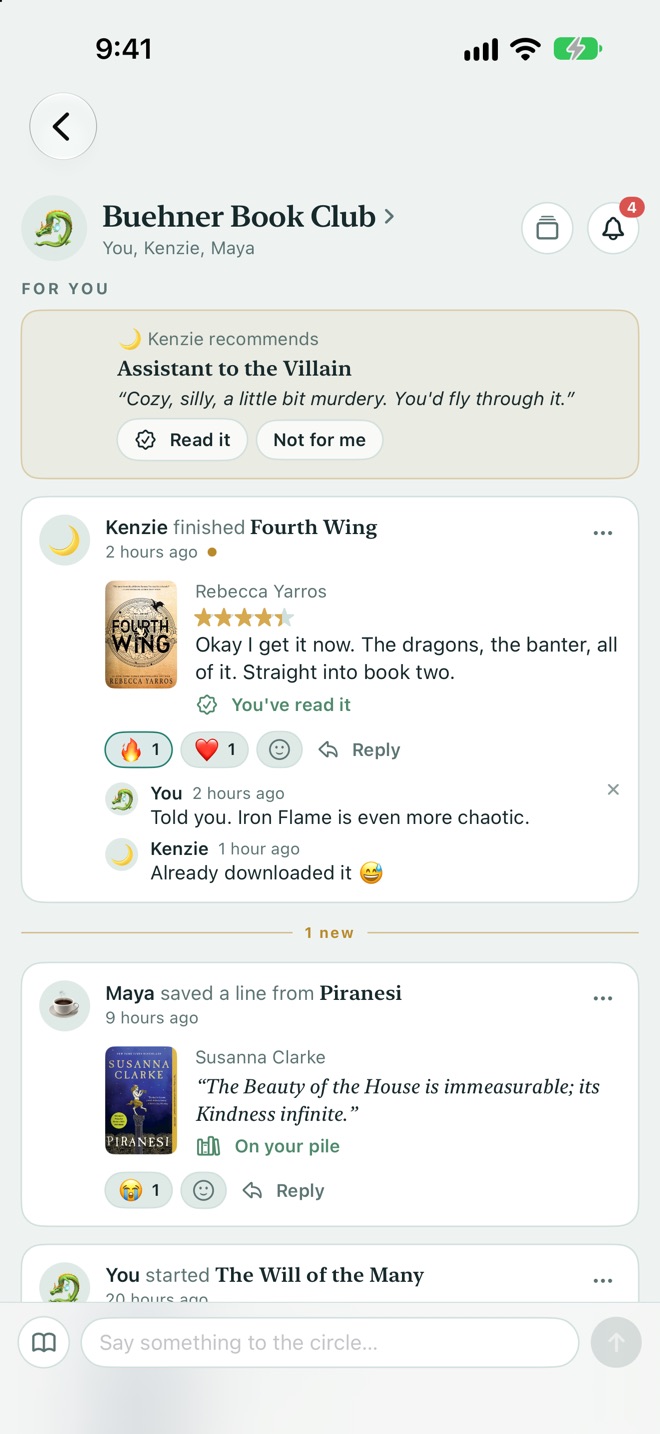
Share with your people. Log from anywhere.
Reading Circle is an optional, invite-only feed for a few friends. Recommend a book, share a line you loved, and react to each other's reads. It runs on Apple's iCloud sharing, so nobody outside your circle (us included) can see it. It's off until you start one.
- Siri & Shortcuts: "Log my page in TBR Shelf", "Save a quote to TBR Shelf", "What should I read tonight in TBR Shelf".
- Widgets: a shelf of your latest reads, tonight's pick, and your year in pages on the Home Screen.
- A shelf for each reader: one family library with separate shelves, including kid-friendly themes that hide spice ratings and store links.
The whole library, on a big screen.
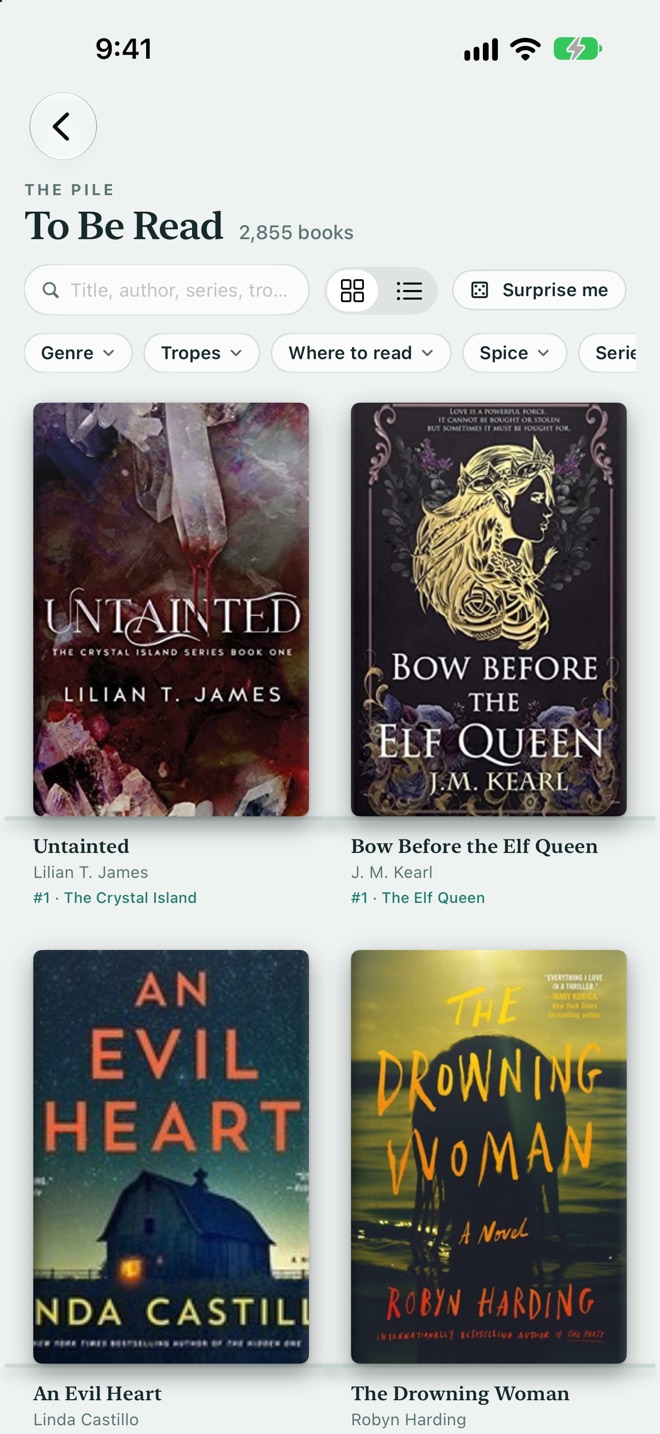
TBR Shelf on the Mac is a native app with the same library, kept in step through iCloud. You get a sidebar of shelves, a book inspector beside the grid, keyboard shortcuts, and room to see the whole bookcase at once.
Light, dark, and everywhere in between.
TBR Shelf follows your system appearance on every device. Scroll for more.
Bring your books with you.
Imports never overwrite what you've written. New books are added, existing ones only get their blanks filled.
From Goodreads
Paste your profile link under Connectors → Goodreads to sync your shelves, or import the CSV from Goodreads → My Books → Import and export. Read, currently reading, to-read, and custom shelves such as DNF all come across.
From The StoryGraph
In The StoryGraph, go to Manage account → Export, then choose the file under Connectors → The StoryGraph. Ratings, dates, re-reads, and DNFs are kept.
From any spreadsheet
Export it as CSV. Columns for title and author are enough. Status, rating, dates, series, genres, and ISBN are picked up when they're there.
Starting fresh
Search for a book and tap Add, or scan its barcode. Cover, blurb, page count, and series are filled in for you.
Kindle: log your page in two taps
Kindle doesn't let other apps see your progress, so TBR Shelf gives Shortcuts the actions instead.
- Open Shortcuts → tap + → add Log Reading Progress (from TBR Shelf). Leave Page as "Ask Each Time" and name it "Log my page".
- In Settings → Accessibility → Touch → Back Tap (or Settings → Action Button on iPhone 15 Pro and later), choose that shortcut.
- When you finish a session, tap the back of your phone, type the page, and you're done.
Save highlights from Kindle or Books
Select a passage, tap Share, and choose Save a quote. It shows up in the share sheet once you've opened it in Shortcuts and turned on "Show in Share Sheet". TBR Shelf works out the book from the text that's shared.
Other actions: Mark Book as Finished, Start Reading a Book, Get Books I'm Reading. Leave the book blank to use whatever you're reading now.
Questions, answered.
How much does TBR Shelf cost?
TBR Shelf is free on iPhone, iPad, and Mac. There are no ads and no in-app purchases.
Do I need an account?
No. There's no TBR Shelf account to make. Your library lives on your device and, if you turn sync on, in your own iCloud account.
How do I sync between my iPhone, iPad, and Mac?
Turn on Settings → Sync with iCloud on each device and sign in to the same Apple Account. Books, ratings, notes, and shelf arrangements follow you. The first sync of a large library can take a few minutes.
What do you do with my data?
Nothing, because we never receive it. TBR Shelf has no servers of its own, no analytics, and no advertising. It only contacts public book catalogues (Open Library, Google Books, Apple Books) to fetch covers and details. Read the full privacy policy.
Will importing from Goodreads overwrite my changes?
No. Imports add new books and only fill in blanks on the ones you already have. Your ratings, reviews, spice levels, and covers are never replaced.
What is the spice rating?
A 0–5 scale for how steamy a book is, shown as chilli peppers. Books start with a best guess based on genre and tropes until you confirm or change it. You can filter and roll the dice by spice, and it's hidden on children's shelves.
Can the whole family use one library?
Yes. Add a reader in Settings and each person gets their own shelf, stats, and widget within one library. Children's shelves get playful themes and hide spice ratings, store links, and the Reading Circle.
Can I read my Kindle books in TBR Shelf?
Kindle books are protected by DRM, so they open only in Kindle. TBR Shelf tracks them alongside everything else and lets you log pages and save highlights from Kindle with Shortcuts (see how). DRM-free EPUBs, including the Free Library classics, open in TBR Shelf's own reader.
Why do some books have store links? Do you earn from them?
Store links take you to that book at the shop or library you choose. Some carry an affiliate code, which means Luma Design may earn a small commission if you buy, at no extra cost to you. That's how a free app with no ads pays for itself. As an Amazon Associate, Luma Design LLC earns from qualifying purchases.
Is there an Android or web version?
Not at the moment. TBR Shelf is built natively for iPhone, iPad, and Mac.
How do I delete my data?
Deleting the app removes everything stored on that device. To remove synced data too, use Settings → Delete every book and cover while iCloud sync is on, or manage TBR Shelf's storage in your device's iCloud settings. You can export your whole library as a CSV from Settings first.
A cover is wrong or missing. How do I fix it?
Open the book and tap Cover to choose from every edition we can find, or upload your own image. Fill in details from the web fetches a missing blurb, page count, or series.
Need a hand?
Email us and a real person will reply, usually within a day or two. Tell us which device you're on and what you were doing when something went wrong. A screenshot helps.